Tuesday, January 1, 2013

New Years Resolution: Daily Quests

First of all Happy New Year! So I am sure many of you are making new years resolutions to work out more, eat healthier, be more productive etc. but for me one of my new years resolutions is to be more consistent with daily quests. In the past I had been very up and down with my daily quests, but I hope to knock out at least a few each day on my mage and possibly other characters. So to aid those of you who are sharing in the same goal as me, AutoTurnIn is an addon to help speed up the process a little.


AutoTurnIn is an addon that does exactly what the name sounds like. It turns in and accepts quests for you and can even be configured to select rewards based on certain parameters. While it may seem trivial you would be surprised how much easier collecting and turning in a handful a dailies can be. Does that 2-5 minutes really make a ton of difference? Probably not, but the perception is there and sometimes that's all you need to power through those quests for the day. Let me know if you have found any other addons that you like for doing dailies.

Val

Saturday, December 29, 2012

TradeSkillMaster

So you are looking to go from occasional gold maker to big time seller with a major footprint on your server? Well look no further than TradeSkillMaster or TSM as it is commonly referred to. TSM is a modular collection of addons used by many of the richest members of the WOW community to run their operation.

TSM and all of it's modules can be found here.

My plan was to do a few in depth posts looking at how to set up TSM as well as some of the more advanced tips I have learned through using it, but Faid over at Clockworkriot.com has produced a few videos that do a pretty good job of teaching you what you need to know to get started with your gold making empire.

Her videos can be found here.

Hope this helps those of you who aren't familiar with TSM. If you have any questions fell free to leave me a comment and look for more addon updates and guides in the future.

Val

Friday, December 28, 2012

The great auctioning addon debate

It's the debate I've heard for a long time, which auctioning addon is "the best"? Well, first we need to understand that there is no "best" auctioning addon. It all is dependent upon what you want, what is best for you may not be the best for someone else. So, what are some of the options? And how do they stack up?

1. Auctioneer (release and beta versions can also be found at their website here)

Auctioneer is the original auction house replacement addon. It is a large suite of addons which all work together to help you watch the auction house, keep a database on prices, and help you find deals. Auctioneer is often used just show what an item's value is, however very few people unlock the full potential of auctioneer. Through the use of custom searches and batch posting and many other features auctioneer allows gold makers from those with a few copper to millions of gold to get more out of the auction house. Along with these advantages however, auctioneer comes with two major drawbacks, size and speed. With the whole suite installed, the auctioneer package has a large footprint. In addition, scanning and storing item data with auctioneer is slow to say the least. Because of these major drawbacks, many have decided to move onto other auction house replacement addons.

For those who want a smaller footprint but a few less features, there are two main choices I have used.

2. Auctionlite 

Auctionlite brings in clean tabs for buying and selling, as well as the ability to scan to store item price data. It supports tooltip information for item pricing and setting favorites for items you buy frequently That's it, if you want an extremely streamlined way to buy and sell goods on the auction house this here is your cup of tea.

3. Auctionator

For those who find auctioneer to large and auctionlite too little, your happy medium will probably be auctionator. Auctionator brings in all the basic functions from auctionlite as well as a few other features. It keeps a history of all items posted (also present in auctioneer) and allows you to make new posts based off previous prices. In addition it allows you to create shopping lists for more customized searching and purchasing and best of all the full auction house scan takes around 30 seconds in comparison to a 5-10 minute scan for auctioneer.

My personal preference? I run both auctioneer and auctionator on my gold making characters and just auctionator on the others. Are you using the default auction house window still? What other addons are do you like for the auction house? Stay tuned for some posts on my primary addon for making gold Trade Skill Master.

Valrot

Thursday, December 27, 2012

Curious...

So, I was strolling through blogger and just so happened to notice that this blog has been getting views even since I have stopped posting on it. I miss writing posts, but am never really consistent to post so we'll see if I stick to posting or if I post for a few weeks again and fizzle out. I have been doing a lot of gold making in game lately so maybe I'll post about the addons I use or something. Either way, if you have found your way here and want to see anything leave a comment.

Valrot

Thursday, August 12, 2010

Hey I should probably write a post today...

Nah!!! Let's just keep playing Starcraft II!

One more game then I HAVE to go write a post... or I could play two more...

Wow! it's been like a month since I posted last... but Starcraft is calling my name, must go play more...


So there it is, I have been buried in Starcraft II. I had the campaign done the first night I had it, and 75% gold for the challenge modes are now finished. I am sorry everyone for the lack of posts, I promise more addon information will be coming. Stay tuned I plan to have some content here real soon, I just have to kill some more zerg first...

Friday, July 16, 2010

TooManyAddons!!!

Yes, it's true, I do indeed have too many, but that is not the point. The point is that there is an addon out there called TooManyAddons. Now, I will let you in on a little secret. This addon is one of my new favorites, simply because of what it allows me to do.
 
TMA allows me to make profiles of different addons I want to load. Thus I don't have to load every addon I would use in every situation. I personally have a profile set up where I have every addon I use to make gold (auctioneer, KTQ, Quick auctions and many others) and a profile for my Mage in PVP and one for my mage in raiding.

This creation of profiles is great not only because they exist, but because they are easily swappable. Say you just got invited to a raid, but your UI is set up for PVP. Not to worry, just return to the main menu (default: escape) click on the new button that says addons. Then, select your raiding profile, hit reloadui, and BAM! you are ready to go. This is just the beginning of the potential of this addon.

Download TMA Here

Thursday, July 8, 2010

The Arena Player's Must Have Addons

So this past week I have been doing a large amount of PVP on my mage, in particular arenas. So I thought I would go through what I see as the must haves for arenas. One of the biggest parts of PVP addons is the importance of the presentation of information in a quick, easy to recognize format which will make your reaction time better. I thought I would compile a list of addons which I see as doing this. This is in no way shape or form all encompassing, it is just my personal recommendations.

Monday, July 5, 2010

Hooray!

Well I am officially home for the summer, I have a good six weeks off, and I am already beginning to prepare a lot of posts for the future. I hope you all like learning about addons, because they are coming I promise!

Sunday, June 27, 2010

One More Week!

So last week was death, it started with my power chord for my laptop dying on me and me having to buy a new one bleh!

And then class was not fun at all. I am an engineering student and I am taking summer classes, I have one more week and then I get to head home for a month or so. This next week probably won't have a post, but I hope to do 2-3 a week after that, I haven't forgotten you all I promise!

Val

Saturday, June 19, 2010

Curse Gaming's Addon Packs

So sometime in the recent past, Curse introduced the easily posted addon packages. Now addon compilations have been a staple since as long as I have been downloading addons, but never have I seen them as easily and neatly created. Curse has dozens of pages of addon compilations I encourage you to go check them out. you can see them here. In addition if you have a great compilation of addons you think the community may enjoy you can create your own pack in a few short steps.

What is your opinion of Curse's introduction of this new and easy to use tool? I personally think it is great for getting ideas on how to set up your UI, but it does cause a large amount of items to have to sift through.

Thursday, June 10, 2010

Hooray

So today I finally fixed my skillet issue. I had spent hours toggling addons and looking through forums. I had logged in and out countless times, deleted my wtf folders for skillet. And then today I finally tried something which for some reason I had never thought of, I copied the wtf for skillet from one of my working characters over to my mage's savedvariables folder. And guess what, it works!!! finally haha

Simple is often better!

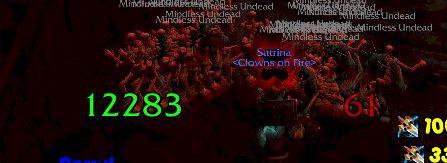
Today I wanted to spotlight an addon which I have been using for a while. It is so simple that you wouldn't think  it would be so valuable. The addon digits created by Satrina, places a scaling and movable number showing your health and mana/focus/rage. You can show the number as either a percentage or an exact number.
Digits although old, still is very functional and is in fact currently undergoing a rewrite which will, according to Satrina, "allow you to make as many digits displays as you want for whatever units you want."


You can find digits at wowinterface.com here.

Hope you all find this helpful!
Val

Saturday, June 5, 2010

Mail made easy!

So today I thought I would highlight two addons which I really like, both of which have to do with mail. The first of which, Postal, redesigns the mailbox, it allows you to check by specific mail and then click open to open any random grouping of mail you want, it also has the open all option. In addition you can set what you want it to open when you do open all. For example, I have the open all on my bank alt to only open successful auction mail. Postal can be found at curse here, or at wowinterface here

The second mod I would like to highlight is called bulkmail2. This addon allows you to set up item groupings to send to certain characters, so that when you type in that characters name the item pops up in the small window added, and then gives you an option to click send and mail all of that item you have to that character. One thing to remember is that you have to do the configuration through the minimap button. I spent probably 20 minutes sitting there going I am adding this item to the list in this letter, but it is not auto sending, so just keep that in mind. You can find bulkmail2 here

Well I hope you all enjoy both of these addons. I know I do,
Valrot

Friday, June 4, 2010

Really weird issue with skillet....

So I have this really odd issue on my mage, my main, where if I try to use skillet, I click the enchanting or jewelcrafting tab and it highlights showing it's open, but the skillet window never pops up. It is really weird because it works just fine on all of my other characters. So today is my try to fix skillet day, I am going through and one by one disabling addons to see if any of them are interfering with skillet after uninstalling and reinstalling. If none of this works, I am going to copy my WTF folder out and delete it. If that doesn't work, well I am going to just go sob in the corner for a while haha. Any ideas?

Tuesday, June 1, 2010

Doom Cooldown Pulse

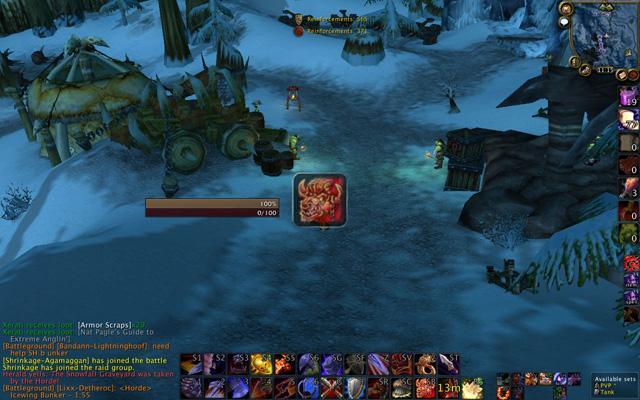
So today I wanted to share a quick addon which I think adds information for you in an incredibly quick and simple way. What Doom CooldownPulse does is that when an ability is ready it will flash the image of that spell anywhere on your screen, as you can see here:


As you can imagine this can be incredibly useful and is one of the easiest ways I have found yet to help me see when a spell is able to be used.

You can find Doom CooldownPulse at both of the two main addon sites:

Giving it one more try!

Hey everyone,

So to say the least I have well been absent. I basically had given up on this blog. I had thought that hey I am not a great writer, and well I don't have anything interesting to write about. But I thought hey, other bloggers have probably gone through these same issues, and I am sure they have overcome it. My goal now is to make a new post at least once a week. Although this is lower than other bloggers, I feel that this is more than doable. I hope for those of you who love tweaking your UI that this would be a great place to learn about new addons and ways to configure your UI. I am going to make this a priority.

Valrot

Wednesday, December 16, 2009

Looking for help with something

For those using an RSS reader, here is today's post

Hey everyone, I know there has got to be someone out there who knows how to create customized art to place onto your UI. I have used the addon eepanels, and well I guess I just wasn't reading into it enough or something. What I want is to find a reader who knows how to do custom art on their UI and is willing to teach. I then will write about what I have learned and help any readers who are like me that want to learn but have no idea where to start. (large amounts of credit will of course be given). If you are interested in helping me with this project, shoot me an email at mikemage2@gmail.com

I look forward to learnign from one or more of you,
Valrot

Tuesday, December 15, 2009

Pitbull and it's endless possibilities.

So today I am going to talk aout the best Mod I have found out there for unit frames. On my mage (my main) I currently use pitbull for all my unit frame needs. The thing that is most amazing about pitbull, is it's amount of customization. Pitbull is configured via the use of layouts, you then apply these layouts to the different units. This is nice, because I am able to use the same layout for my target as I use for my player. Pitbull can be configured to show as much or as little information as you want. For my mage, I have two settings, one for PVP and one for PVE.

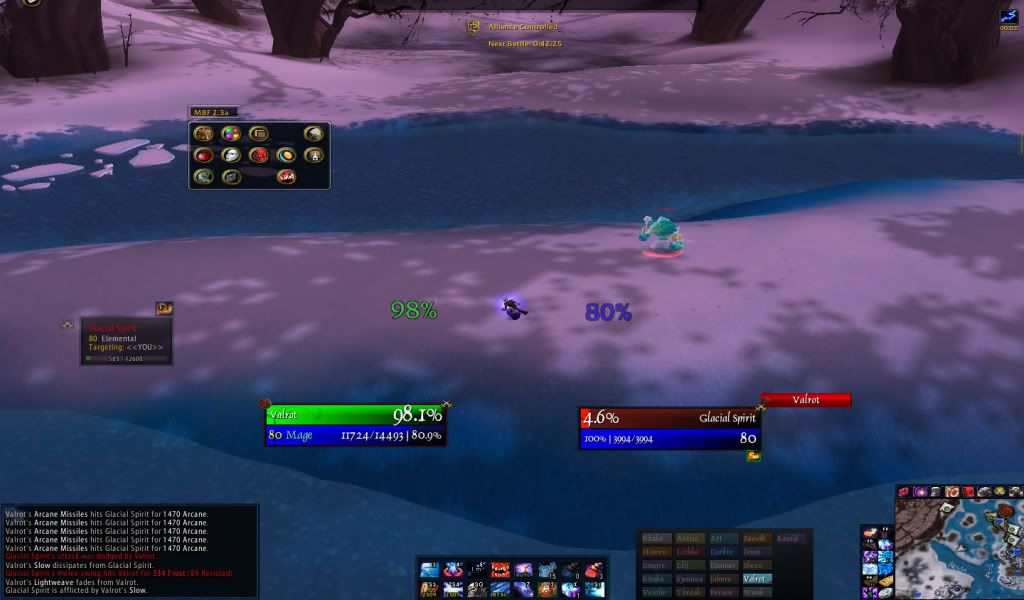
My PVE set up is designed to show me all the information I need to know about my party/raid, as well as knowing what percent the boss is at. Not a ton of information needed here, so I made it flashy and fun. On the other hand, my PVP set up for pitbull is very streamlined. it is what you see on my screenshots. It shows (in a very large lettering) my health and mana, that's it, for me everything else is just excess that I do not need on my unit frames. I use other addons for vital information, that way my information is not crowded into a small unit frame. With both my set ups, I have my unit frame and my target frame in the middle bottom of my UI, it makes it so my eyes don't have to do much moving, and helps me avoid tunnel vision when fighting.

What addon do you use for unit frames? do you use the default frame? How are your unit frames configured? What was your thought process when you set your unit frames up?

Friday, December 11, 2009

Hooray the End of All Things Sad and Depressing!

Well it's done, it may not be pretty, but it's done. I am finished with all of my finals. Beginning with a final english paper, and then a physics exam the next day, and a engineering calculus exam the very next day, I felt swamped, overwhelmed, and downright near insane. It was weeks like these which made me wonder if my choice of mechanical engineering as my major was a good or bad choice. Oh well time will tell. All of that to say: I am done with finals, I am off for 3 weeks, and I will be blogging!

Today I would like to ask what you think of action bar mods. I personally used bongos in the past followed by dominoes, and then followed by bartender 4. Last night, I tried out a new addon for action bars, macaroon. This is the first addon I have found since dominoes replaced bongos that allows you to create bars and have them have as many buttons as you want. I was so excited to see that I once again had the ability to create bars which are 1X20 or any other super random combination I could think of. What about you? What action bar mod are you using? Why do you use the one you use? and what would you like for the author to change that you think would make it better?

Thursday, December 3, 2009

Finals Week

Hey everyone, Wow! it has been forever since I last posted. I am getting ready to enter my week of finals for college, then I will dive back into working on the blog. I hope to get up to a 3 times a week posting over break and be able to carry that into the next semester. I appreciate everyone's understanding behind my absence previously, but the good news is I am back and playing with addons more than ever.

valrot